
Cloud cost allocation built around your business.
Coststreams splits, groups, and assigns every dollar of cloud spend to the teams, projects, and customers that drive it, with budgets, showback, and unit economics built in.
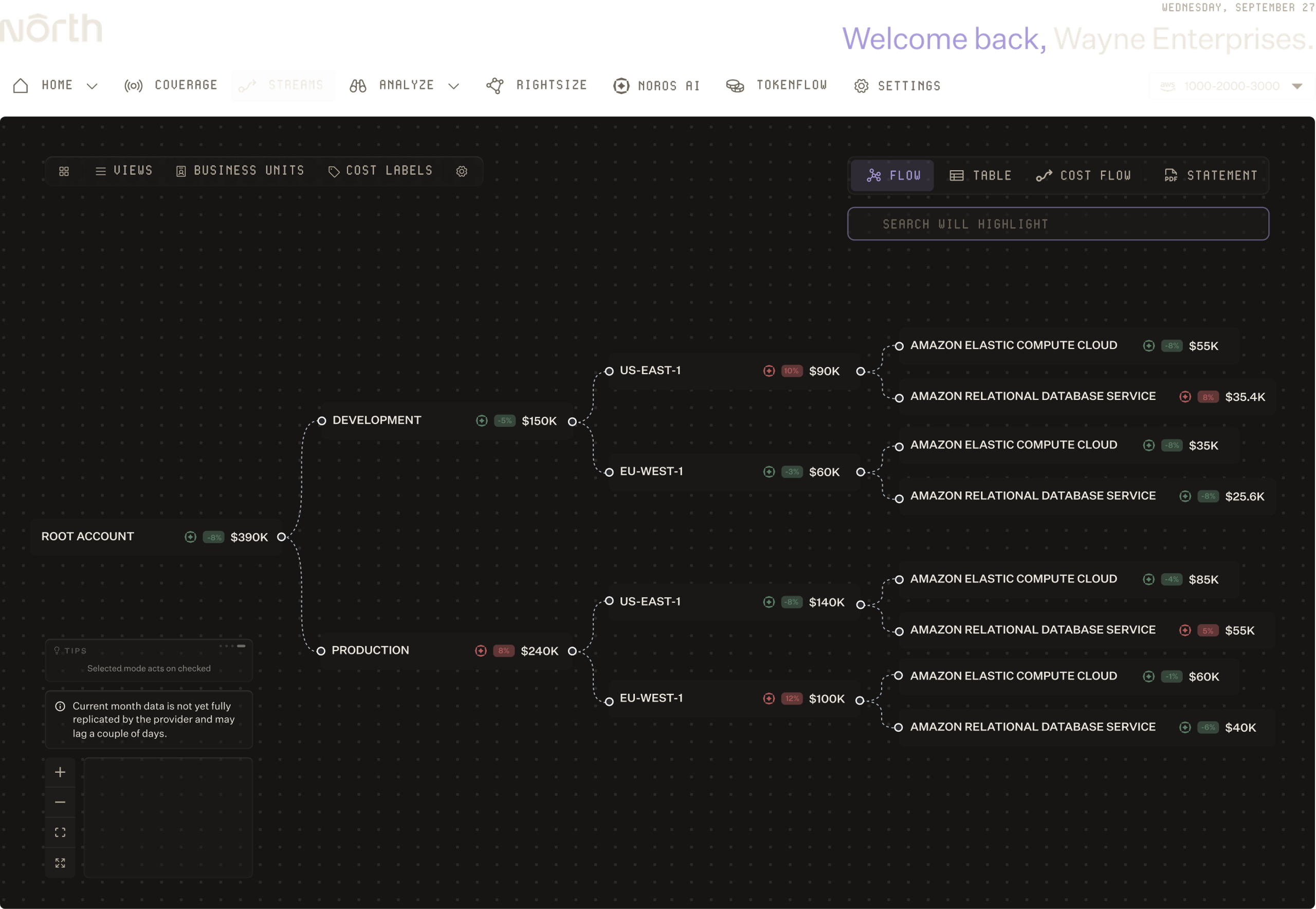

Flexible allocation. Finance-ready reporting.
Flexible cloud cost allocation, multi-angle spend analysis, and finance-ready reporting.
Flexible cloud cost allocation, multi-angle spend analysis, and finance-ready reporting.
Allocate every dollar with precision
Split cloud costs by team, project, environment, or any attribute, with dynamic groupings that adapt as your infrastructure evolves.
Analyze spend from every angle
Explore costs in tables, charts, and flow diagrams, and tie spend to the business metrics your teams already care about.
Report out without the spreadsheet work
Generate showback statements, margin calculations, and stakeholder-ready PDFs in seconds.
FT. 01
Split, group, and assign every dollar without the tagging work.
ALLOCATE SPEND ACCURATELY.
Slice spend any way you need
Filter, exclude, and split costs by team, project, environment, account, or custom tags, at any level of granularity.
Group costs by team, project, or initiative
Organize cloud spend around the way your business operates, so the right people see the right costs, with the right level of accountability.
Split shared costs proportionally
Divide costs from shared services and accounts based on actual usage, so a team using 30% of a resource pays for 30%, not a flat share.
FT. 02
Understand cost behavior at every level of your business.
TRACK BUDGETS AND RETURNS.
See spend in the view that fits the question
Switch between tables, charts, and flow diagrams to explore how costs move across your organization.
Track budgets in real time
Set budgets at the team, project, or department level and watch status indicators as spend accrues, with Slack alerts before thresholds are exceeded.
Measure efficiency, not just spend
Connect cloud costs to business metrics like cost per customer, click, or transaction, so teams see the return on every dollar.
FT. 03
Turn allocations into reports your stakeholders actually want.
AUTOMATE BUSINESS REPORTING.
Generate showback statements in one click
Produce stakeholder-ready PDFs at the team or department level, showing exactly what each group consumed.
Add margins for reseller billing
Apply a margin to any team's cost, so resellers and internal billing teams can show the marked-up cost without manual math.
Schedule reports with Noros
Pair Coststreams with Noros, North's AI agent, to schedule recurring spend and allocation reports for any stakeholder, delivered to email or Slack on your schedule.
Cost allocation teams trust.

North took 5 minutes to setup and showed me we could save 40%. To this day, it's the fastest & clearest demo of ROI I have ever seen in business.”
North is helping us get the right reservations and savings plans in place as we stabilize our infrastructure. And down the line, we’ll look at extending this strategy even further.”
The flexibility and ease of integration really stood out. If someone told me from the start it would be this easy to try, use, and save, I wouldn’t have believed them. But it is. And the savings are real.”

See where every cloud dollar goes.
Start using North's Coststreams capabilities today.
FAQs
Find answers to commonly asked questions about Coststreams.
What is Coststreams?
Coststreams is North's cost allocation and visibility engine. It lets you subdivide your cloud spend into dynamic, real-time groupings based on any attribute you choose—teams, business units, environments, projects, or custom tags. These groupings update live as your infrastructure evolves, so you can isolate, track, and manage spend exactly the way your business requires. Coststreams puts you in control of both visibility and precise cost allocation.
How is Coststreams different from basic cloud cost tools?
Basic cost tools show you what you spent, but not how to organize or allocate it meaningfully. Coststreams lets you slice and dice spending with unlimited flexibility—create splits and subsplits as deep and granular as you need, then assign them to business units for true cost accountability. You can also connect business metrics (cost per customer, per click, per incident) to cloud spend in real time, something standard tools can't do.
How does Coststreams handle shared costs and services?
Shared infrastructure is the hardest cost to allocate. Coststreams lets you split shared costs proportionally based on actual usage—so if one team uses 30% of a database, they pay for 30%, not an equal share. You can also set custom allocation rules by team, project, environment, or any attribute that makes sense for your business.
Can I track spending and set budgets in real time?
Yes. Set budgets at the team or project level and watch status indicators update as spend accrues. Coststreams will alert you in Slack before budgets are exceeded, so you catch runaway spend before it hits the bill. You can also see spend by day or month to spot trends and anomalies quickly.
What is showback and how does Coststreams help?
Showback is when you report cloud costs back to the teams that created them—showing each group what they spent, where, and why. Coststreams generates showback statements in seconds. If you're a reseller or have internal billing, you can add markups to costs automatically, then send clean PDFs to stakeholders with no manual spreadsheet work.
Can I connect business metrics to cloud spend?
Yes. Tie cloud costs to metrics your business already cares about—cost per customer, cost per click, cost per transaction, or any KPI. This way you're not just seeing "we spent $100k on compute," you're seeing "we spent $0.50 per customer acquisition." You can track this in real time and spot efficiency trends over time.